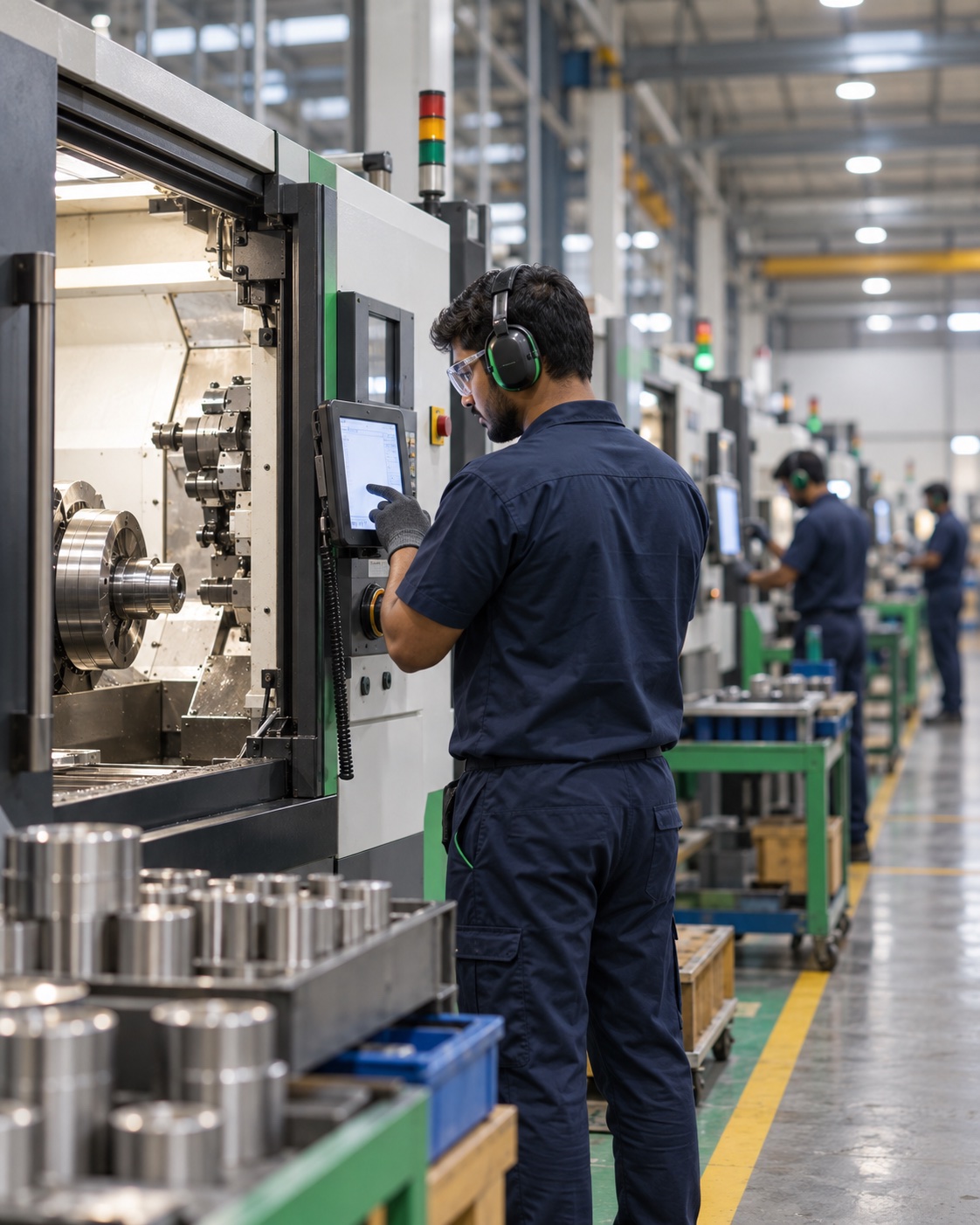
Real-time floor visibility for India's manufacturing leaders.
A six-module platform connecting operators, supervisors, technicians and plant heads on a single source of truth — capturing every cycle, scrap event and downtime minute as it happens.
Much of a plant's lost capacity goes unrecorded.
Manual logbooks, missed handovers and verbal escalations create a measurement gap. By the end of the month, the production report doesn't match what actually happened on the floor.
Downtime that never reaches the logbook
Small stoppages — material wait, tool change, operator break — quietly compound across a shift.
Scrap without a reason code
Without per-shift logging, root-cause meetings become guesswork. Quality cannot improve what it can't see.
Technicians found by phone calls
"Find Ramesh" — hunt for the right number, explain the problem, hope they're free. A pushed token reaches the right person directly.
Plant heads see yesterday's data
Excel reconciliation between supervisors, quality and stores delays decisions from "live" to "post-mortem".
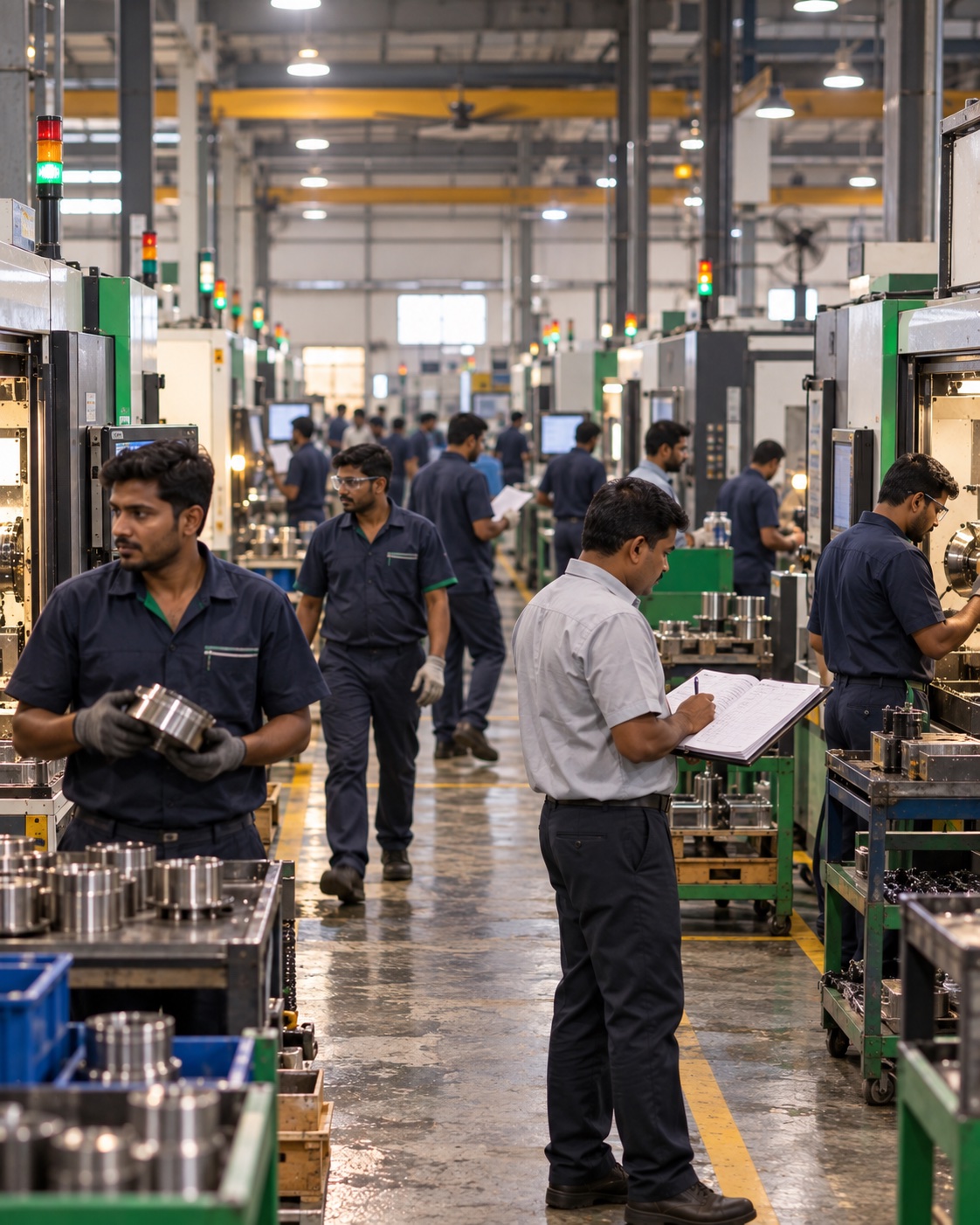
A workflow designed for every role on the floor.
Each user gets a tool built for their hands and their context — not a re-skin of someone else's. Data flows up automatically; decisions flow back down in real time.
Operator Tablet
Face-recognition login, pre-shift checklist, work-order list, 2-hour interval production logging with scrap and downtime entry.
Supervisor Console
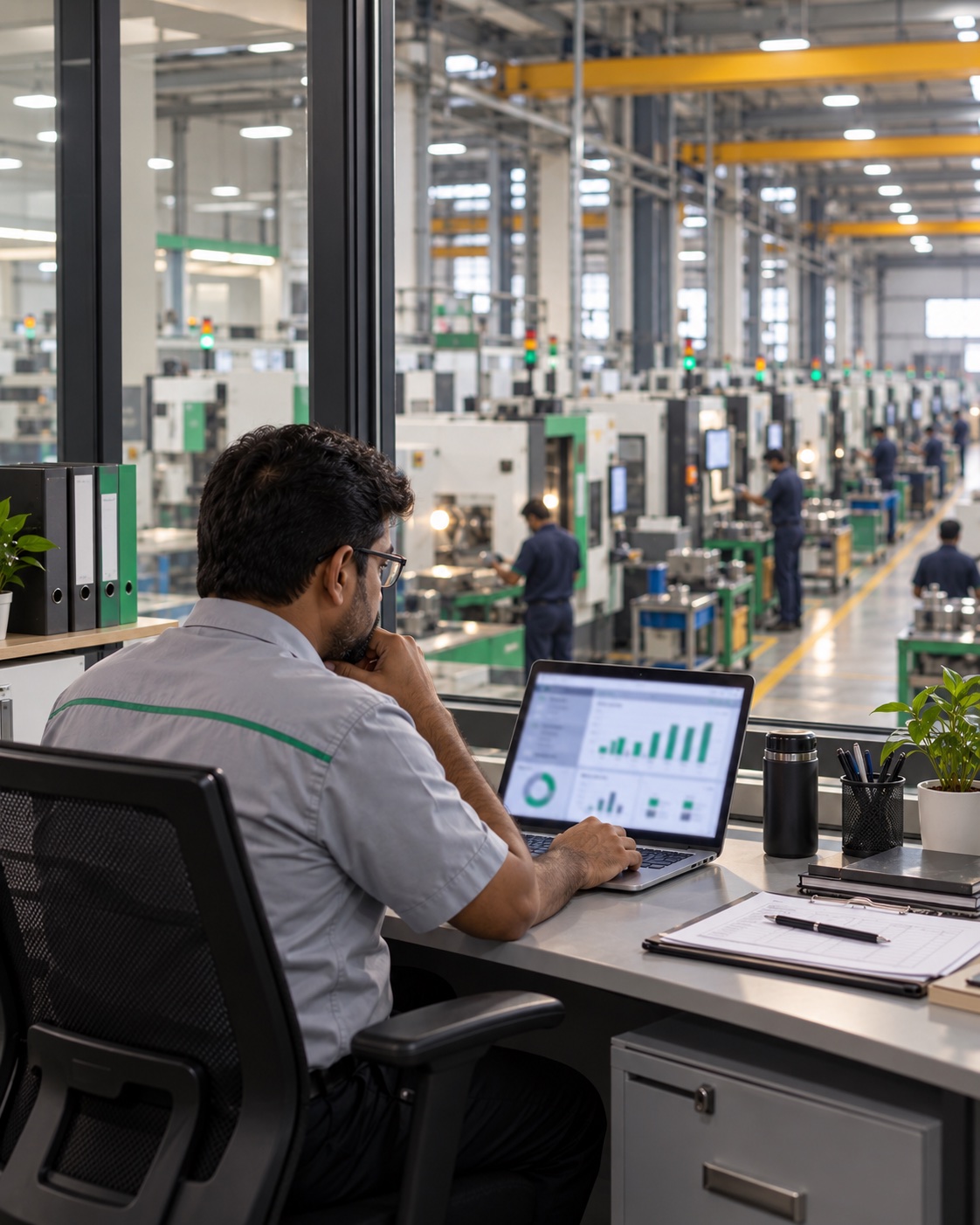
Live machine grid, approval queue for downtime and scrap, operator timeline, drag-and-drop shift assignment that publishes to the gate display.
Admin Console
Multi-plant OEE dials, machine performance leaderboard, scrap & downtime analytics, role-based user management, audit log.
Technician Mobile
Push-to-mobile breakdown tokens with photo notes, status timeline, and downstream notification back to operator and supervisor.
Gate Display
High-contrast TV board for shop-floor entry — operator photos, line status, KPI strip, announcement ticker, shift handover view.
Auth & Access
Multi-role login (Admin / Supervisor / Operator / Technician), face-recognition for line-side, password reset and unified audit log.
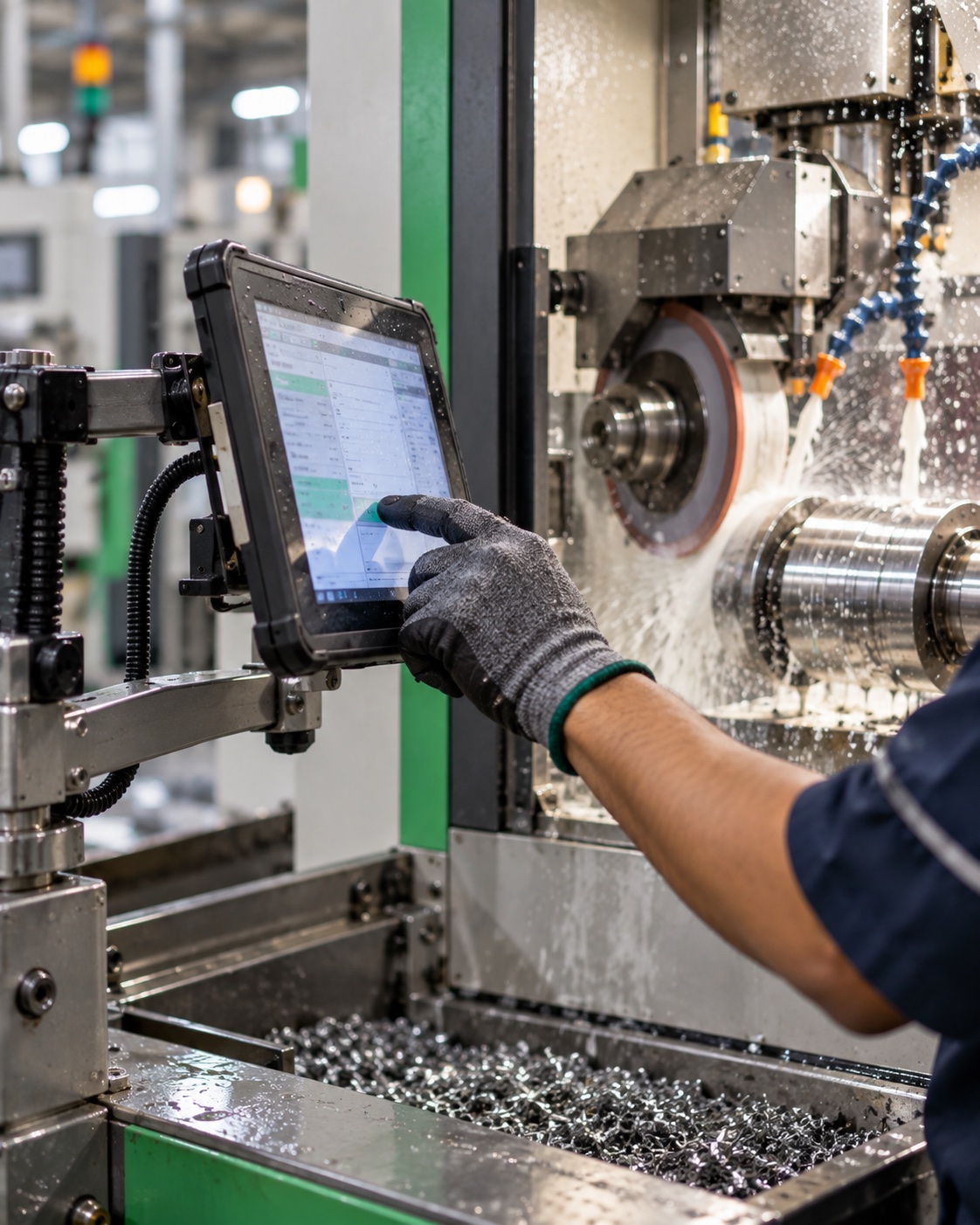
Line-side entry in a few taps.
Mounted at the machine. Built for gloved hands, second-shift fatigue and patchy Wi-Fi.
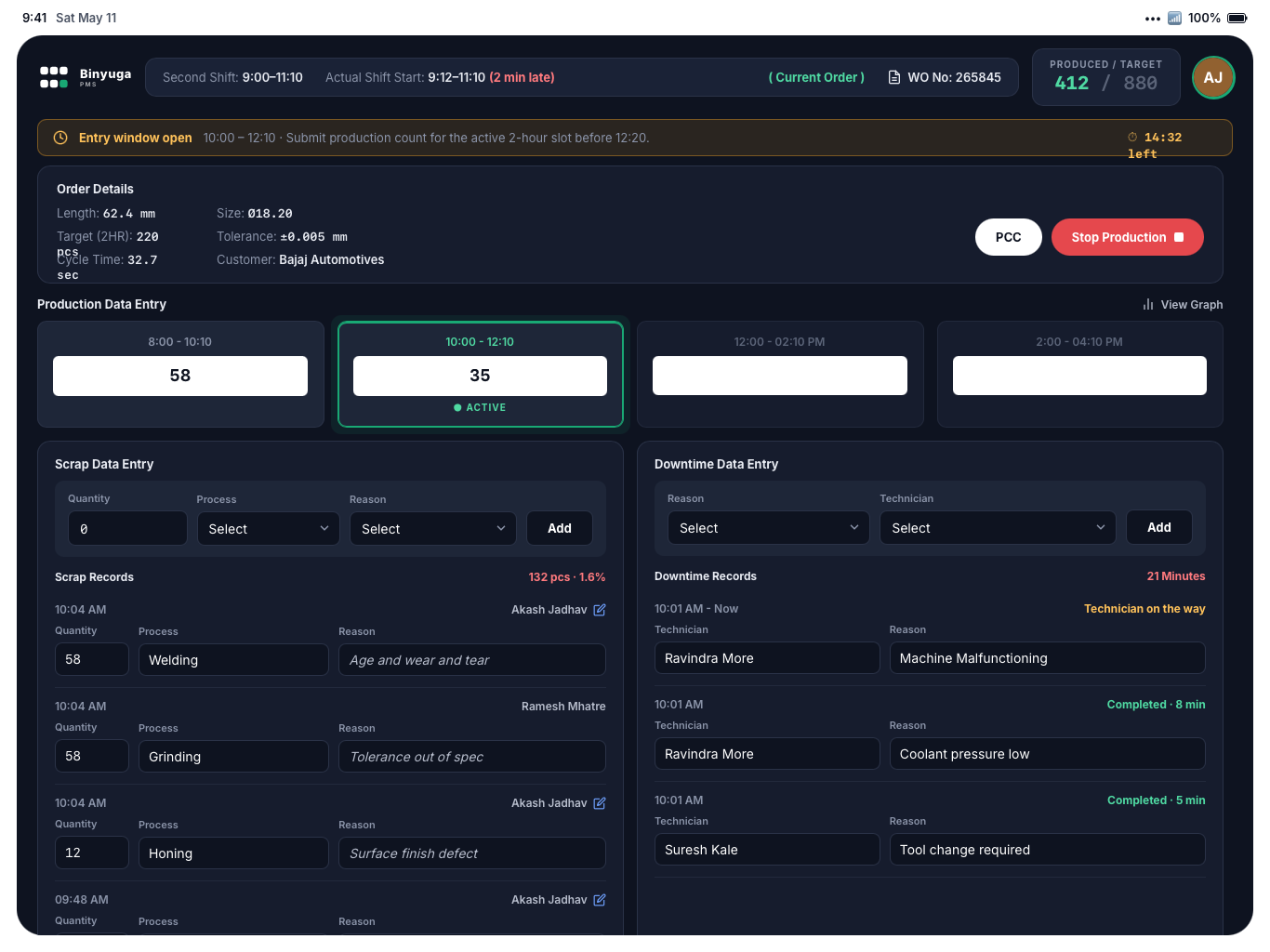
Operator matched at the tablet; shift-start photo stored.
Safety gear, machine inspection, coolant level.
Target, tolerance, cycle time and customer per order.
Active slot highlighted with countdown.
Quantity, process and reason code.
Raises a repair token to the assigned technician.
Always visible in the top bar.
Justification for missed slots; summary at sign-out.
Confirm, correct and assign.
Every operator entry passes through the supervisor before it counts.
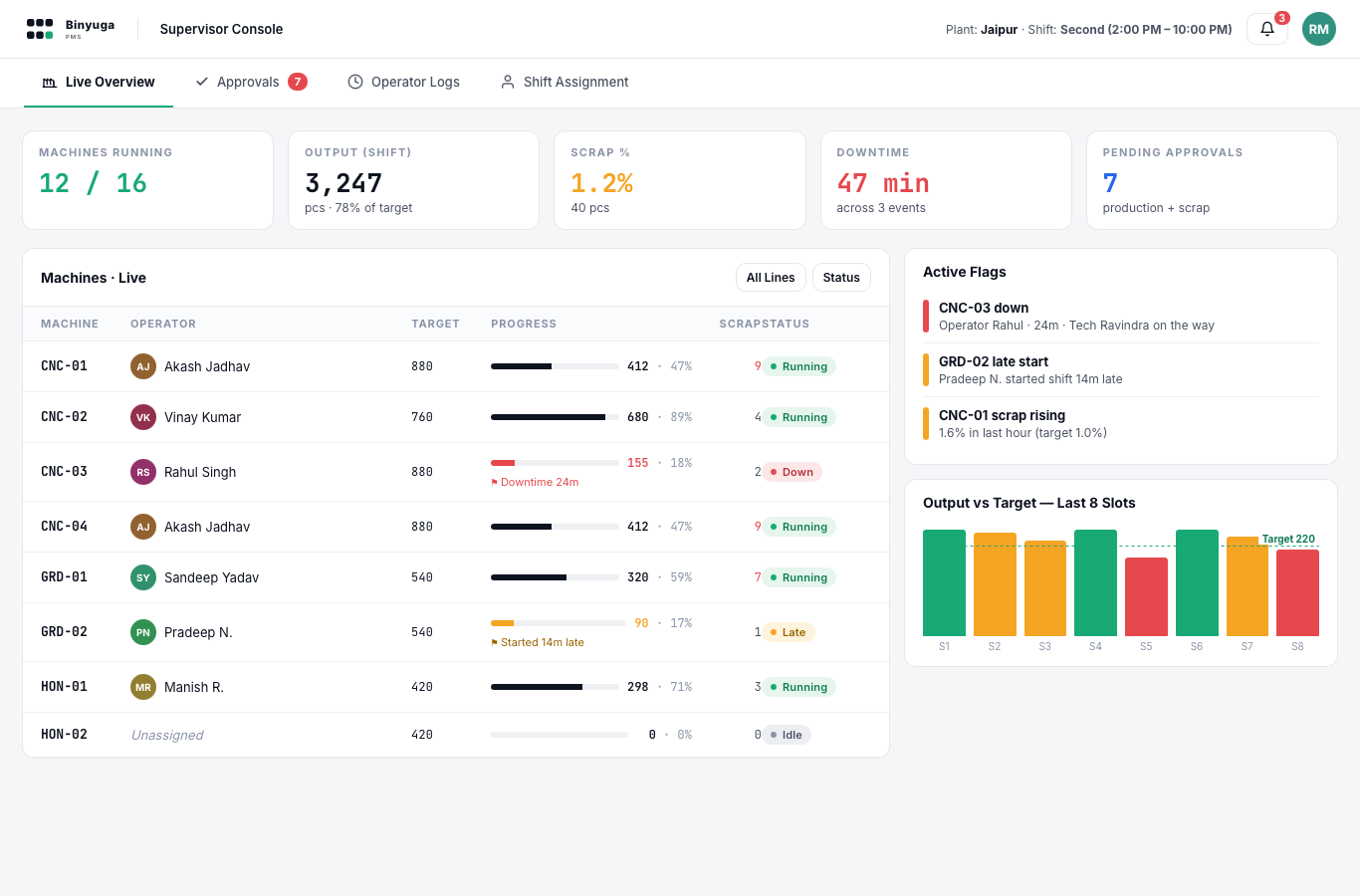
Status, operator, progress and flags per machine.
Production, scrap and downtime in one list.
Returned to the operator for correction.
Timeline of logins, entries and events.
Six-month achievement trend and shift history.
OEE split into availability, performance, quality.
Drag operators onto machines for the next shift.
Roster appears on the entrance display.
Every plant on one screen.
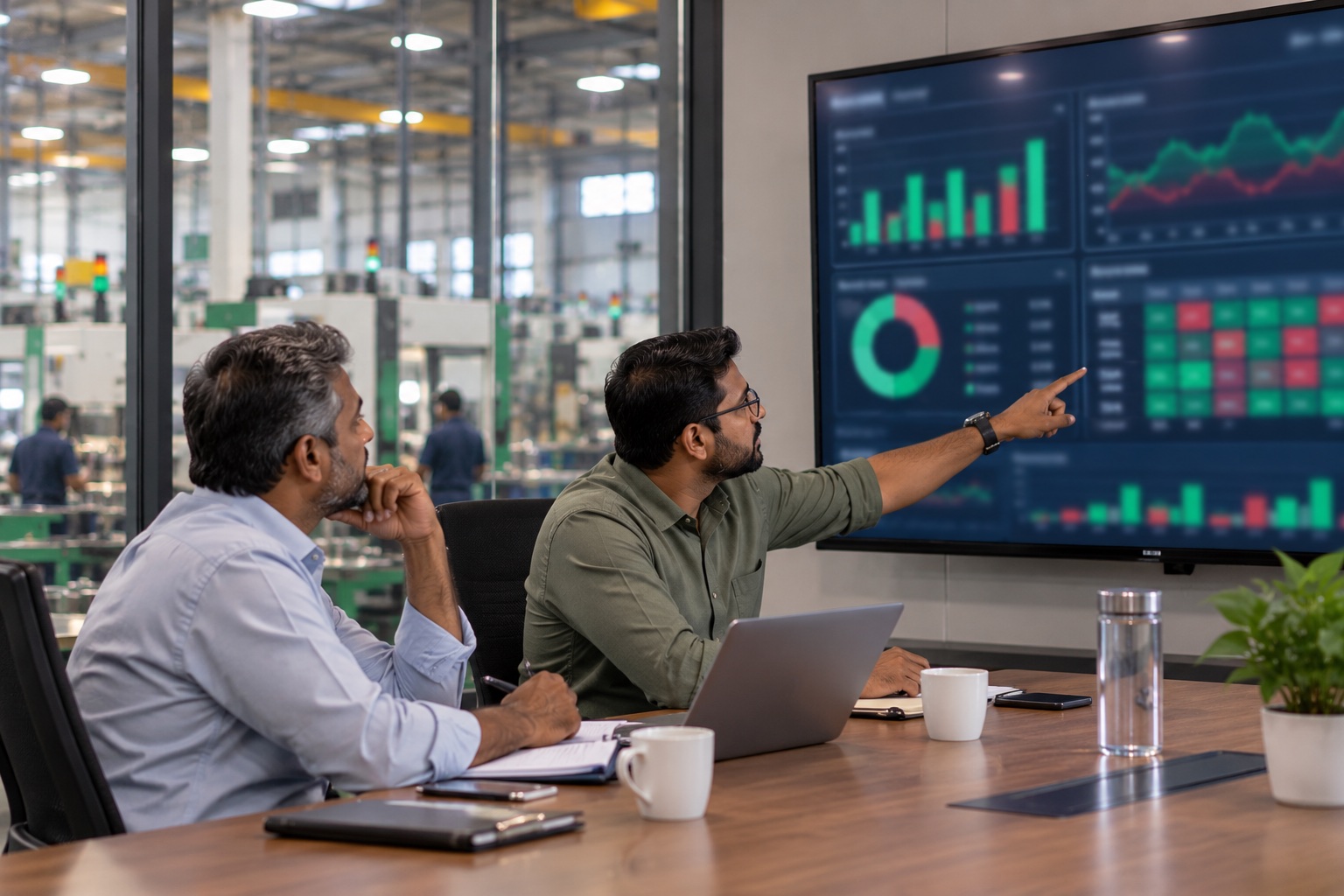
Plant heads and management see expected vs actual, live, across locations.
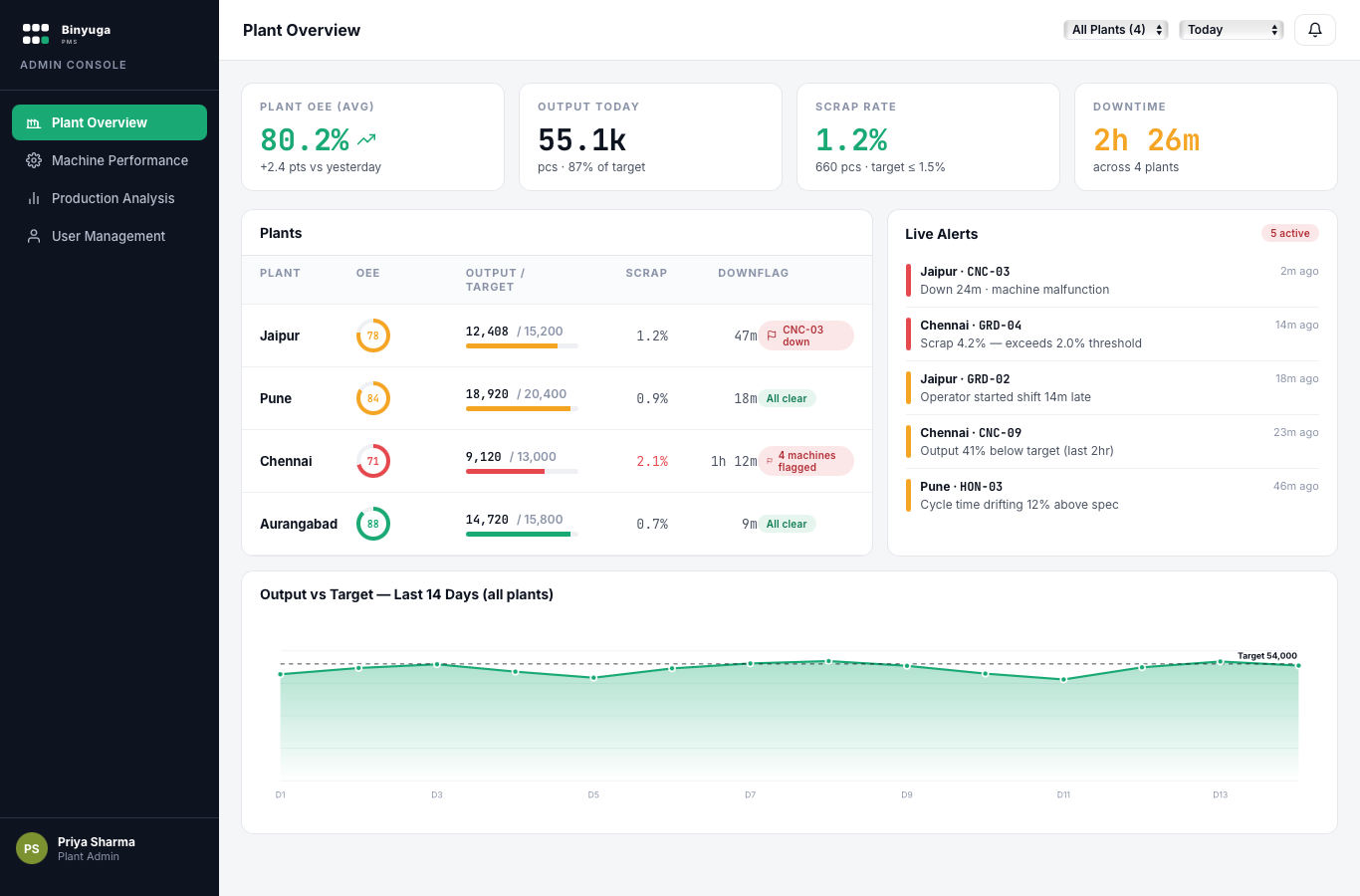
Dial per plant and per line.
Machine leaderboard with red flags below 75%.
Daily output against target, shift comparison.
Pareto of reject causes by line and shift.
MTTR and event count by category.
PDF, XLSX, CSV; scheduled email delivery.
Roles, plants and permissions.
Immutable record of every action.
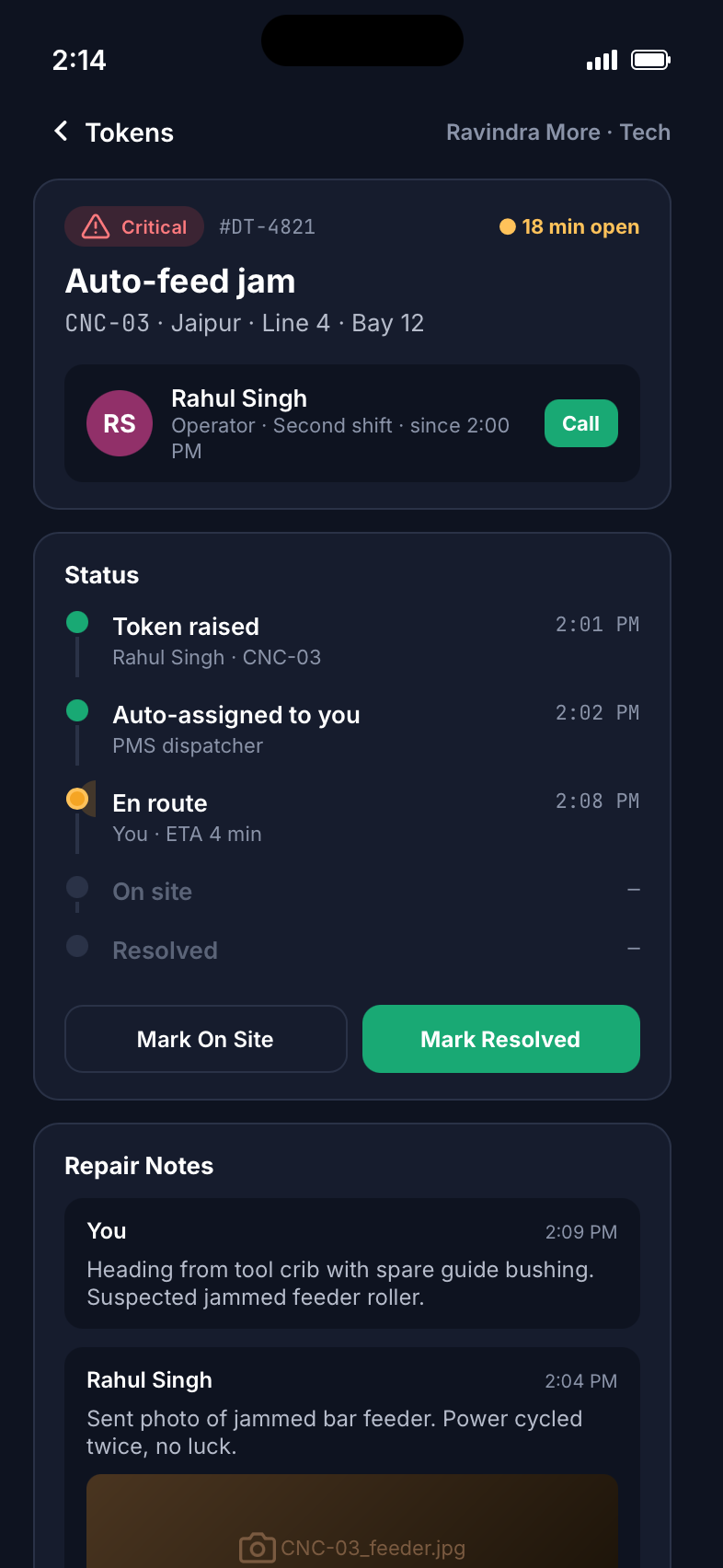
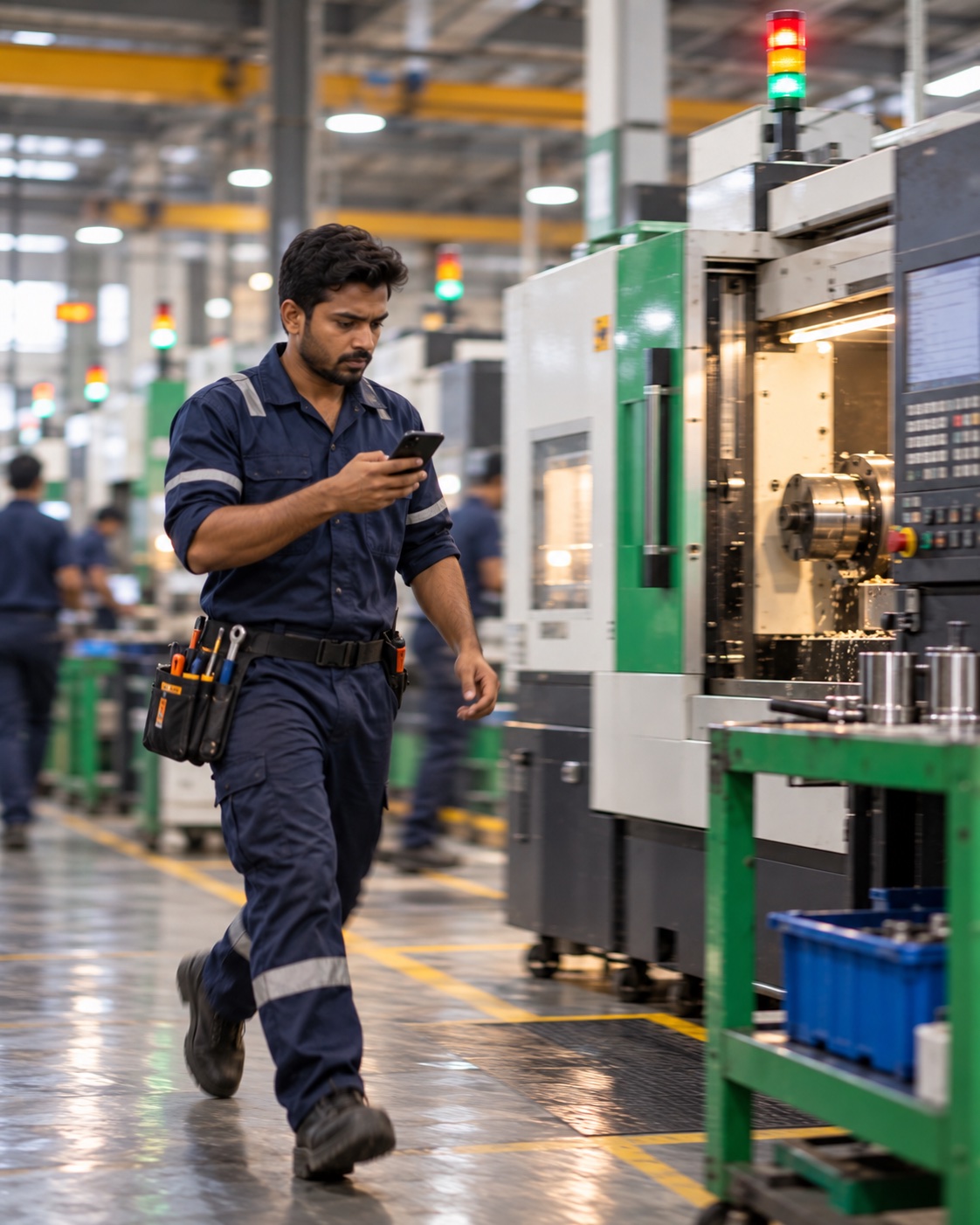
Downtime tokens, handled from the phone.
Each stoppage an operator raises becomes a token pushed to the right technician.
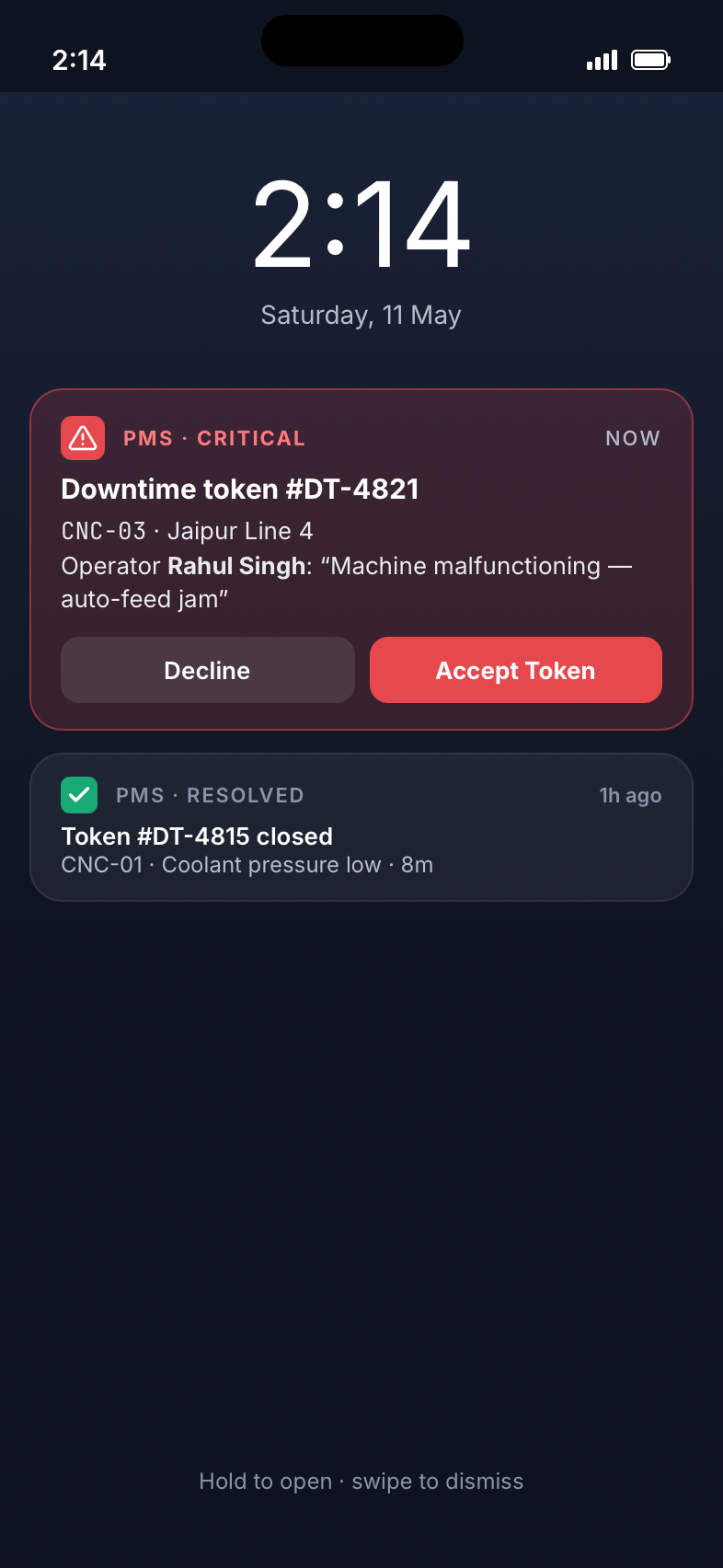
Critical tokens break through on the lock screen.
Declined tokens move to the next technician.
En route, on site, resolved.
Shared with the operator in the token thread.
One tap from the token.
Root cause, parts used, time on site.
The shift roster, at the entrance.
A TV at the plant gate tells each operator where to go and how the shift is running.
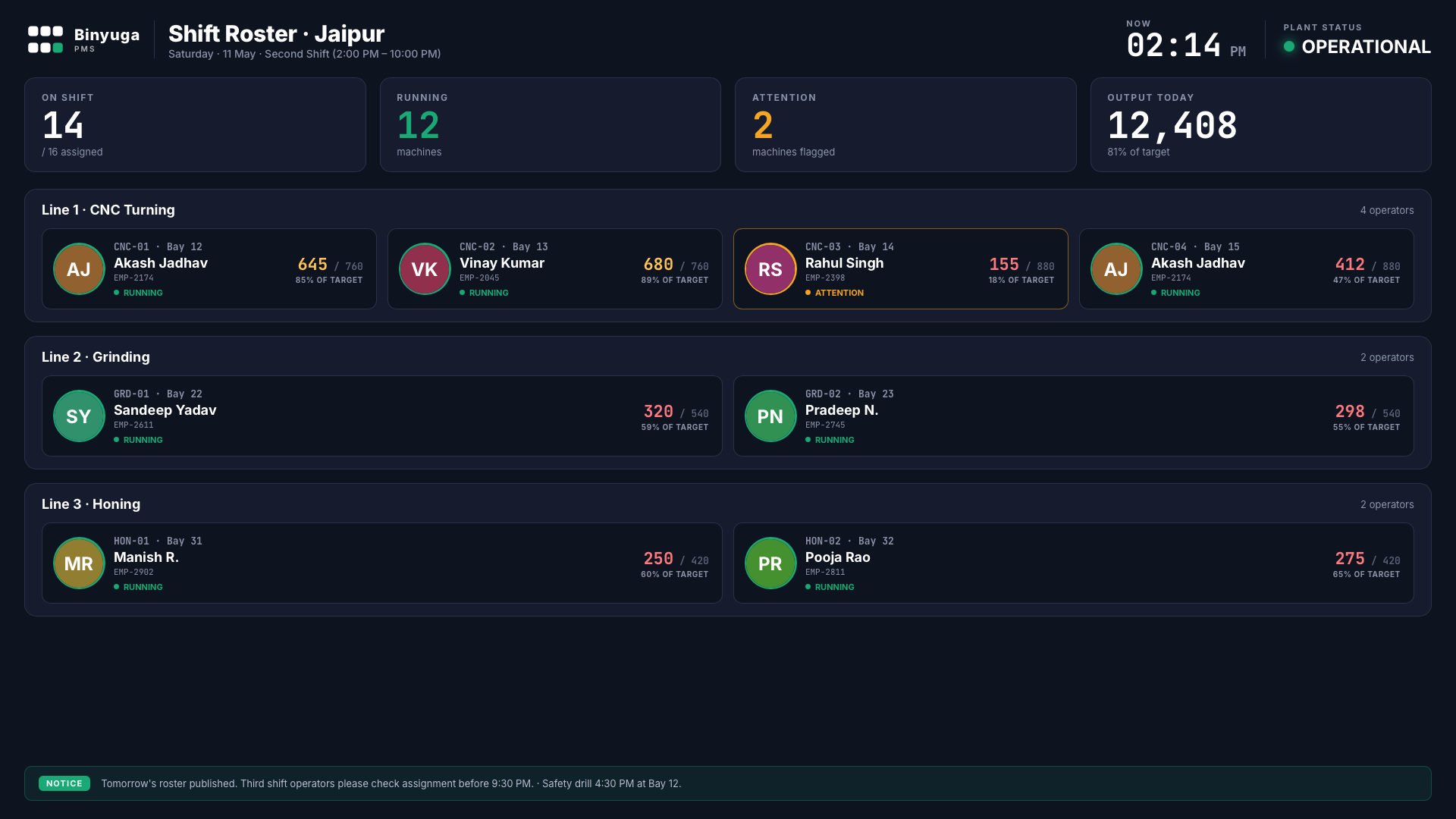
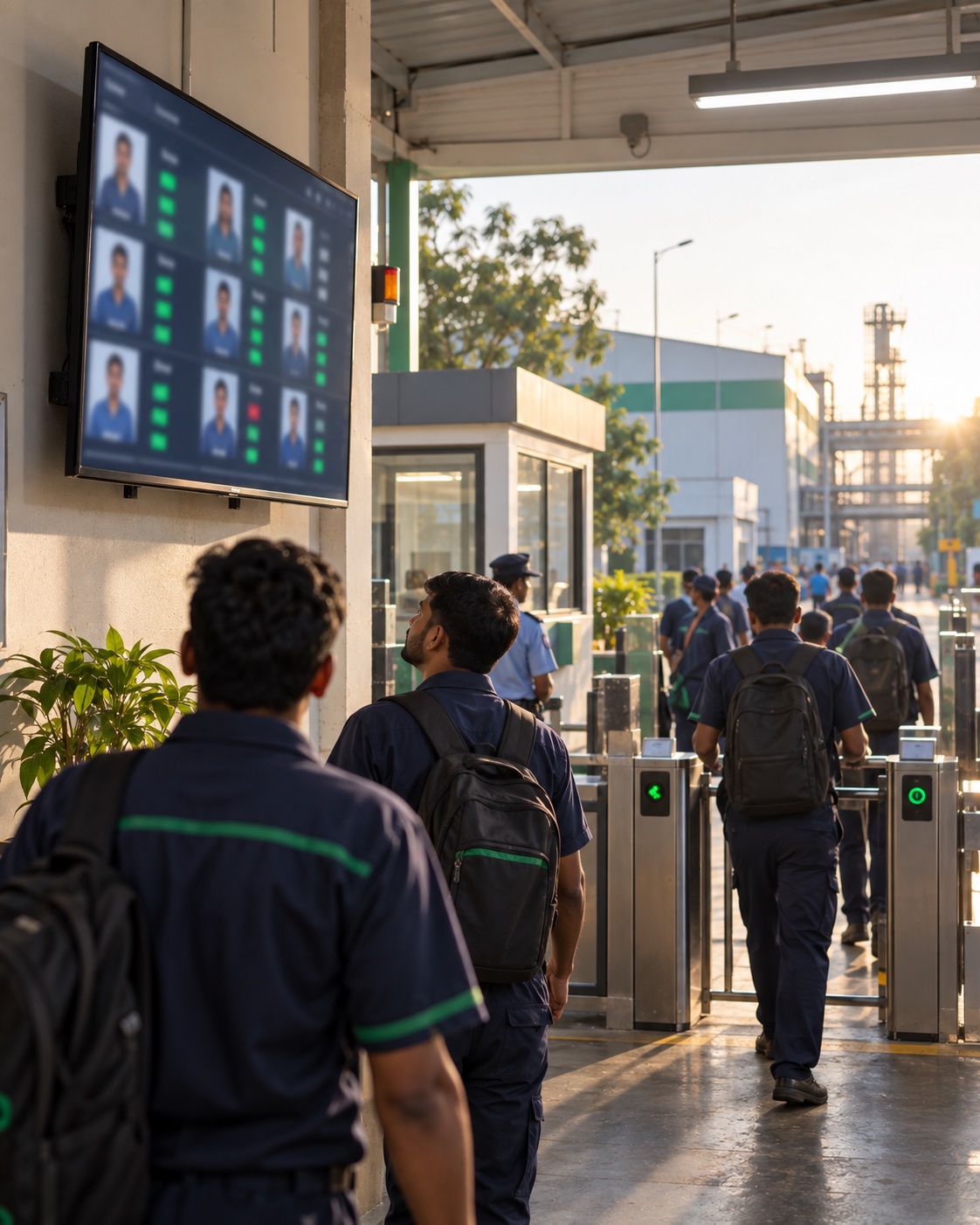
With bay number, grouped by line.
Live count per machine, colour-coded.
Running or needs attention.
On shift, running, flagged, output.
Announcements from supervisors.
Automatic in the last 15 minutes of a shift.
The right screen for each role.
Four base roles with configurable permissions and a full audit trail.
| Capability | Operator | Technician | Supervisor | Admin |
|---|---|---|---|---|
| Login method | Face recognition | Email + password | Email + password | Email + password / SSO |
| Enter production, scrap, downtime | ● | ● | ||
| Handle downtime tokens | ● | View | View | |
| Approve / reject entries | ● | ● | ||
| Assign shifts | ● | ● | ||
| Plant analytics & reports | Own plant | All plants | ||
| Users & permissions | ● |
Email link, expires in 30 minutes.
Every login, approval and change, timestamped.
TLS in transit, encrypted at rest.
Optional restriction for admin console.
How one entry moves through the plant.
From the operator tablet to the plant head, with approval and repair loops.
Rejected entries return to the operator with the supervisor's reason. Only approved figures reach reports.
Technician status updates show on the operator tablet and supervisor console until the token closes.
Tablet entries queue locally and sync in order when the network returns.
From stoppage to resolved, every minute measured.
Each token carries timestamps for every status change, so MTTR is calculated automatically.
Picks reason on the tablet; production pauses.
Pushed to the technician on duty for that line.
Accepts from the notification; operator sees it.
ETA shared with the operator.
Diagnosis, notes and photos added.
Root cause and parts recorded; production resumes.
Tokens not accepted within a set time escalate to the next technician and the supervisor. Thresholds are configurable per line.
On resolve, the operator, supervisor and gate display update together.
Response time, time on site and total downtime are stored per token for MTTR reports.
What the numbers mean and where to find them.
| KPI | Definition | Seen in |
|---|---|---|
| OEE | Availability × Performance × Quality | Admin, machine drilldown |
| Availability | Run time ÷ planned production time | Machine drilldown |
| Performance | (Ideal cycle time × total count) ÷ run time | Machine drilldown |
| Quality | Good count ÷ total count | Machine drilldown |
| Output vs target | Approved count against work-order target per slot and shift | Operator, supervisor, gate |
| Scrap rate | Scrap count ÷ total count, by reason code | Supervisor, admin |
| MTTR | Average time from token raised to resolved | Admin, technician summary |
| MTBF | Average run time between downtime events per machine | Admin |
| Late entries | Entries submitted after the window closed | Supervisor, operator profile |
Where plants typically see improvement.
Every plant starts from a different baseline. We measure yours at go-live and agree measurable goals with you in the proposal.
Overall Equipment Effectiveness
Micro-stoppages and material-wait time that never reached the logbook become visible, so lost capacity can be recovered.
Scrap variance, shift-on-shift
Per-shift scrap is logged with reason codes, making root-cause review actionable instead of anecdotal.
Mean time to repair (MTTR)
Push-to-mobile breakdown tokens reach the right technician directly, without phone calls.
Faster shift handover
Auto-prepared handover board replaces manual whiteboard reconciliation between outgoing and incoming supervisors.
Real-time visibility
Plant head sees today's OEE, scrap and machine flags update live across all plants on a single console.
Built on dependable, modern infrastructure.
Cloud-hosted with on-premise option, integrates with the systems your plant already runs. No rip-and-replace.
PLATFORM
- Flutter apps for tablet, mobile, web and TV from one codebase
- Go backend services built for many concurrent shop-floor devices
- PostgreSQL for production, scrap, downtime and audit records
- WebSocket live updates across all role consoles
- Cloud hosting or on-premise deployment
SECURITY
- Role-based access control (RBAC) — 4 base roles, customizable
- Face-recognition for line-side login (offline-capable)
- Audit log of every approval, rejection, and config change
- Encrypted-at-rest data, TLS 1.3 in transit
- VPN / IP-allowlist for admin console access
DEVICE SUPPORT
- Operator tablets — Android 10+ or iPad iOS 15+
- Technician mobile — Android 8+ or iOS 14+ with push
- Supervisor / Admin — any modern desktop browser
- Gate display — TV / kiosk via Chromecast or HDMI stick
INTEGRATIONS
- SAP, Oracle, Tally — work-order import, production export
- Modbus / OPC-UA for direct PLC cycle counts (optional)
- Active Directory / SSO for back-office logins
- Email / SMS / WhatsApp for escalation alerts
- REST API + webhooks for any custom downstream consumer
Live on the floor in 3 days.
For the standard product, deployment and training included. Need custom workflows, reports or integrations? We are open to it and scope it separately.
Deploy & configure
Server or cloud set up. Plant, lines, machines, operators, shifts and reason codes loaded. Tablets and gate display installed.
Train
Operators trained on the tablet in their language and enrolled for face login. Supervisors, technicians and admins trained on their modules.
Go live
First shifts run live with our team on the floor. Entries reviewed with supervisors; hand-over to plant IT.
Customization (optional)
Custom workflows, reports, ERP or PLC integration, scoped with you in the proposal.
What a plant needs before go-live.
Most plants already have part of this. We review your site before go-live.
| Item | Specification | Typical quantity |
|---|---|---|
| Operator tablet | 10–11", Android 10+ or iPad (iOS 15+), front camera, rugged case | 1 per machine or per 2 adjacent machines |
| Tablet mount & power | Arm or wall mount, fixed charging point | 1 per tablet |
| Wi-Fi access points | Shop-floor coverage at every tablet location | Per site survey |
| Gate display | 43–55" TV with HDMI stick or mini PC, browser | 1 per entrance |
| Technician phones | Android 8+ or iOS 14+, push notifications on | 1 per technician |
| Supervisor / admin PCs | Any current desktop browser | Existing |
| PLC gateway (optional) | Modbus / OPC-UA gateway for automatic counts | Per machine group |
| Server (on-premise option) | Linux VM, 8 vCPU, 16 GB RAM, 500 GB SSD | 1, or cloud hosting |
| UPS | For network gear and gateways | Per network cabinet |
Built by people who’ve walked the shop floor.
We don’t ship a generic SaaS dashboard. Every screen, every default, every tolerance threshold has been tuned with operators, supervisors and plant heads from Indian discrete-manufacturing shops — not buyers in a procurement office.
Face login, two-tap production logging, Hindi/Marathi UI. We measure success by how few mistakes a tired second-shift operator makes — not by how many features a CFO can list.
Modbus, OPC-UA and direct sensor reads where the machine supports it. Where it doesn’t, structured manual entry with sanity checks — never a free-text textbox.
SAP, Oracle, Tally, Microsoft Dynamics. Production goes one way, work orders come back the other — with reconciliation reports that let your finance team sleep at night.
Patchy Wi-Fi? Offline-first tablets that sync when the signal returns. Power cuts? Auto-resume. Multi-language teams? Per-user language preference, persistent across devices.
Every entry, edit, override and approval is signed and timestamped. ISO/IATF audits stop being a fire drill — pull the report and walk the auditor through it.
Implementation, training and support delivered by our team in Maharashtra. On-site for go-live; remote for everything after, with response SLAs you can hold us to in writing.
Answers to common questions.
No. Operators enter counts at the tablet. PLC connection can be added later for automatic counts.
Tablets keep working offline and sync entries in order when the connection returns.
The supervisor can approve a manual login, which is recorded in the audit log.
English, Hindi and Marathi. Each operator chooses their own.
On cloud servers in India, or on your own server with the on-premise option.
Yes. ERP integration can be included as part of a customization scope.
Yes. Scrap reasons, downtime reasons, shifts and targets are configured per plant.
Three days for the standard product, including deployment and training. Custom work is scoped separately.
Ready to see Binyuga PMS on your shop floor?
Reach out and we'll schedule a 30-minute walkthrough tailored to your plant — including a live prototype tour, your specific scenarios, and a written proposal.
Email Sales
sales@binyuga.com
Phone
+91 92847 09054
Office
Binyuga OPC Pvt Ltd
Naregaon Road, Chikalthana MIDC, Chhatrapati Sambhajinagar, Maharashtra, India
Book a demo this week.
30-minute walkthrough. Real prototype. No slides, no fluff.