Production Management System
Every cycle, scrap and stoppage, recorded on the shop floor.
Operators, supervisors, repair teams and plant heads on one live system.
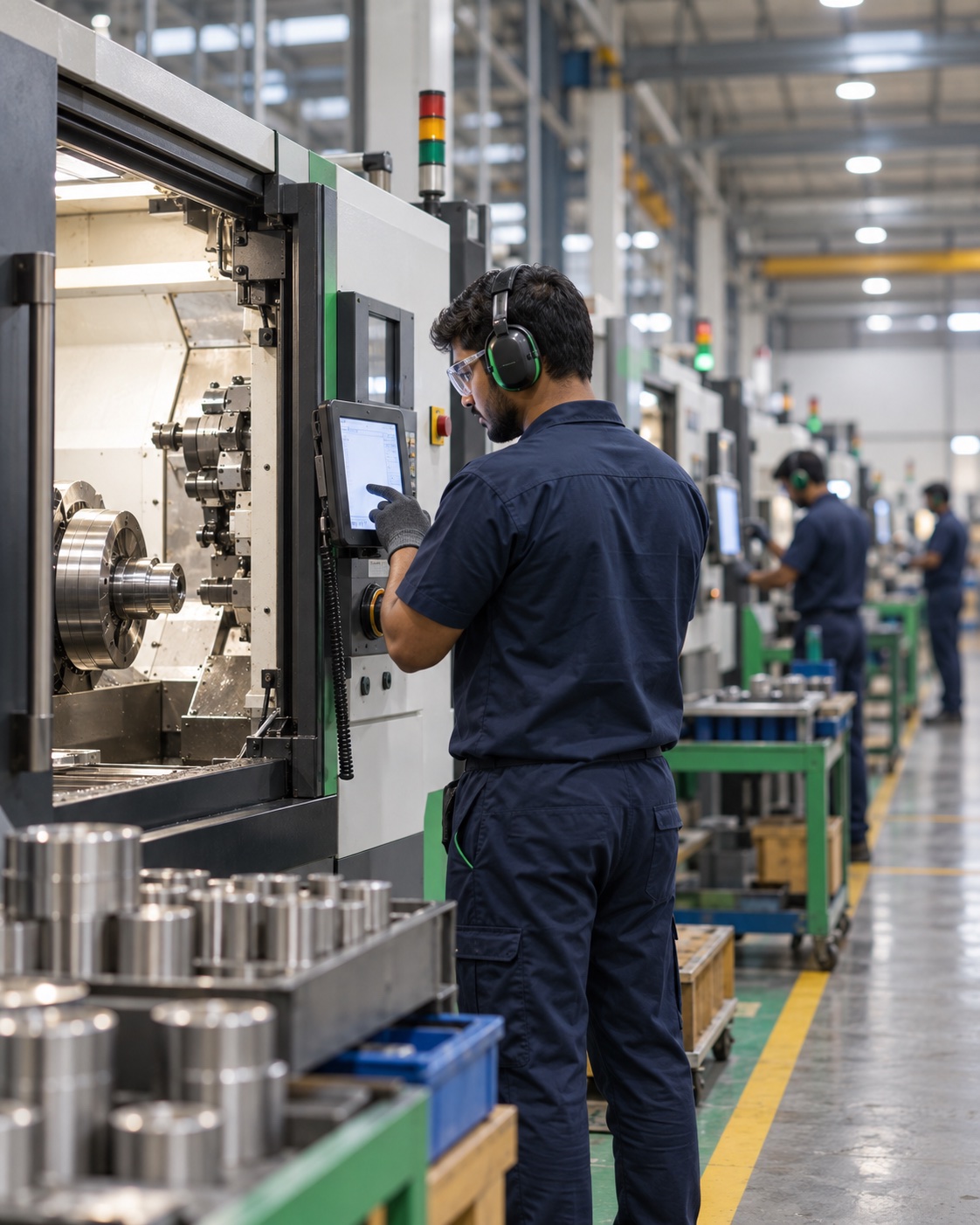
The problem
Where production time goes unrecorded
Micro-stoppages
Tool changes, material waits and short breakdowns rarely make it into the logbook, so they never show up in OEE.
Scrap without a reason
Rejected parts are counted at shift end, not when and why they happened. Root-cause meetings run on memory.
Phone-call maintenance
Operators hunt for the right technician by phone. Nobody measures response time or repair time.
Yesterday's numbers, tomorrow
Supervisors reconcile paper and Excel before the plant head sees a figure. Decisions arrive a day late.
The platform
One system, six role modules
Operator
Face login, work orders, 2-hour production, scrap and downtime entry.
Supervisor
Live machine grid, approvals, operator logs, shift assignment.
Admin
Plant-wide OEE, expected vs actual, reports, users and audit log.
Repair technician
Push notification per downtime token, notes, photos and status.
Gate display
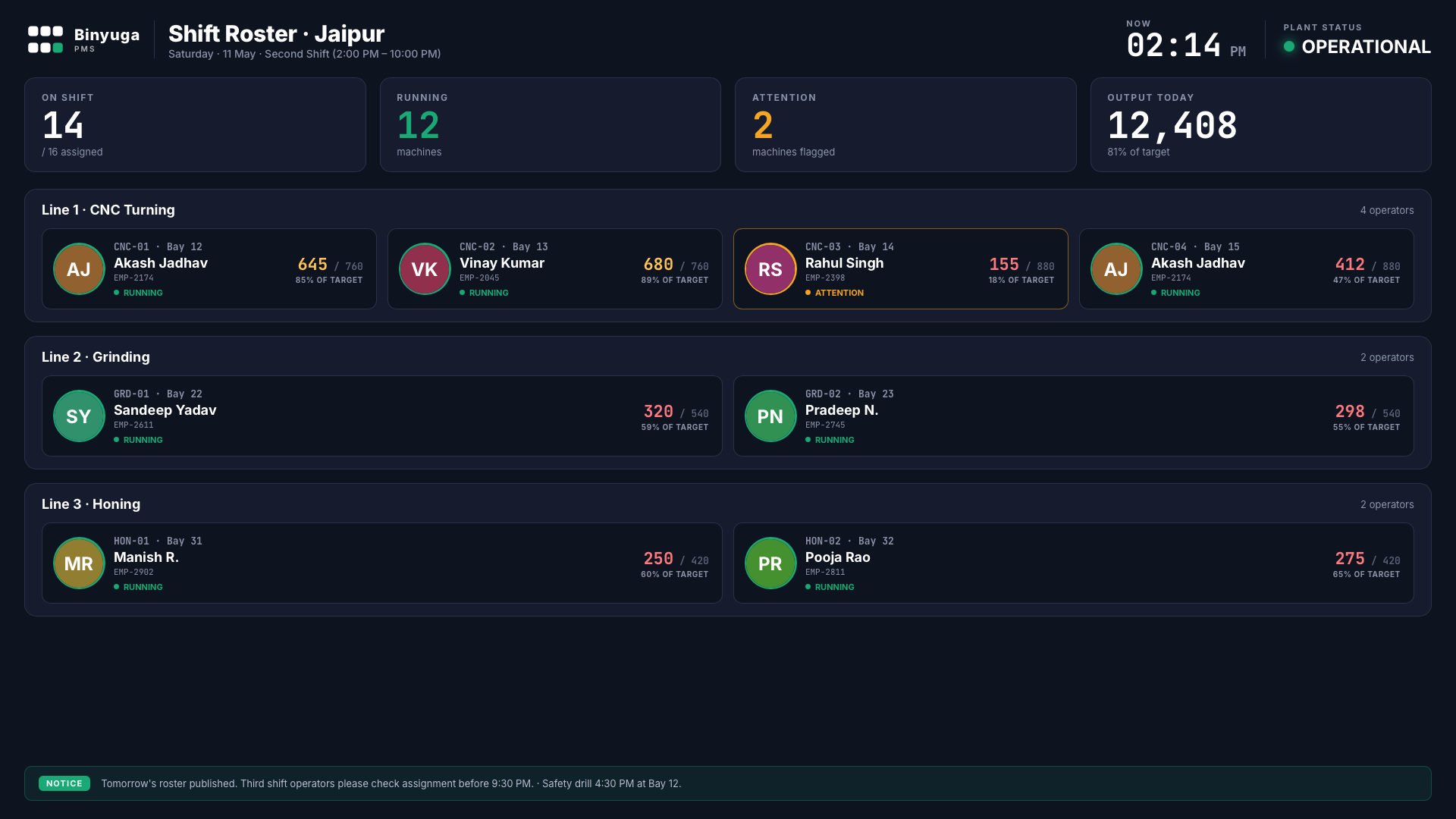
Shift roster at the entrance: who runs which machine, live output.
Access control
Role-based logins, password reset and a full audit trail.
01
How a shift runs
From face login at shift start to the plant head's dashboard.
End to end
One shift in six steps
Face login
Operator verified at the tablet; photo stored with attendance.
Gate roster
Operator sees assigned machine on the entrance display.
2-hour entries
Count, scrap and stoppages logged in each entry window.
Downtime token
Stoppage pushes a token to the repair team's phones.
Approval
Supervisor confirms or corrects every entry.
Plant view
Admin sees expected vs actual across plants, live.
Differentiator
Face-login attendance
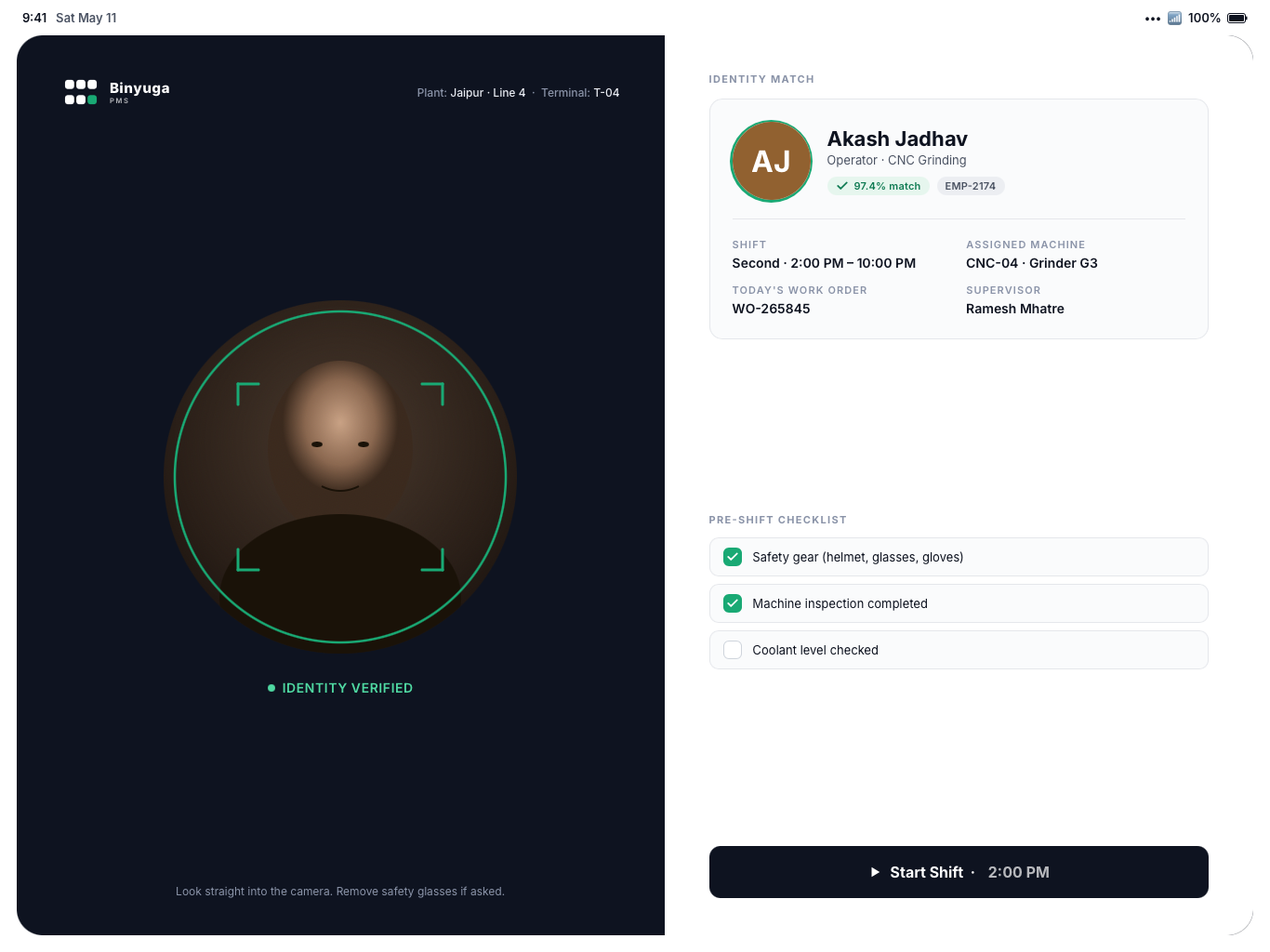
- No proxy punchingOnly the matched operator can start the shift on that machine.
- Photo on recordShift-start photo attached to attendance and every entry.
- Checklist before startSafety and machine checks confirmed before production opens.
Differentiator
Enforced 2-hour entry windows
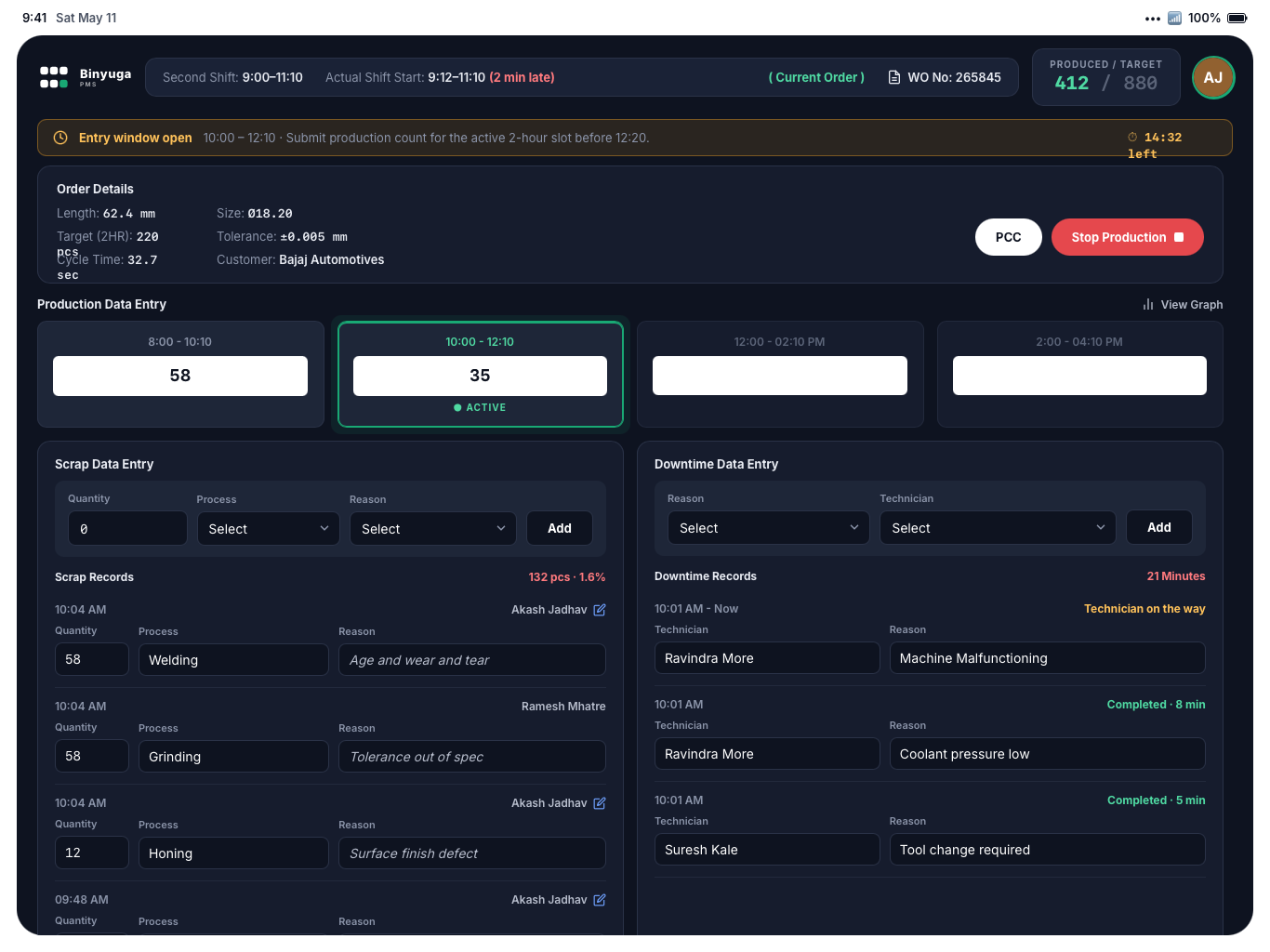
- Active slot highlightedBanner and countdown until the window closes.
- Late entries flaggedMissed windows need a reason and supervisor approval.
- Produced vs target, always visibleOperator sees their own count against the shift target.
Differentiator
Downtime tokens pushed to the repair team
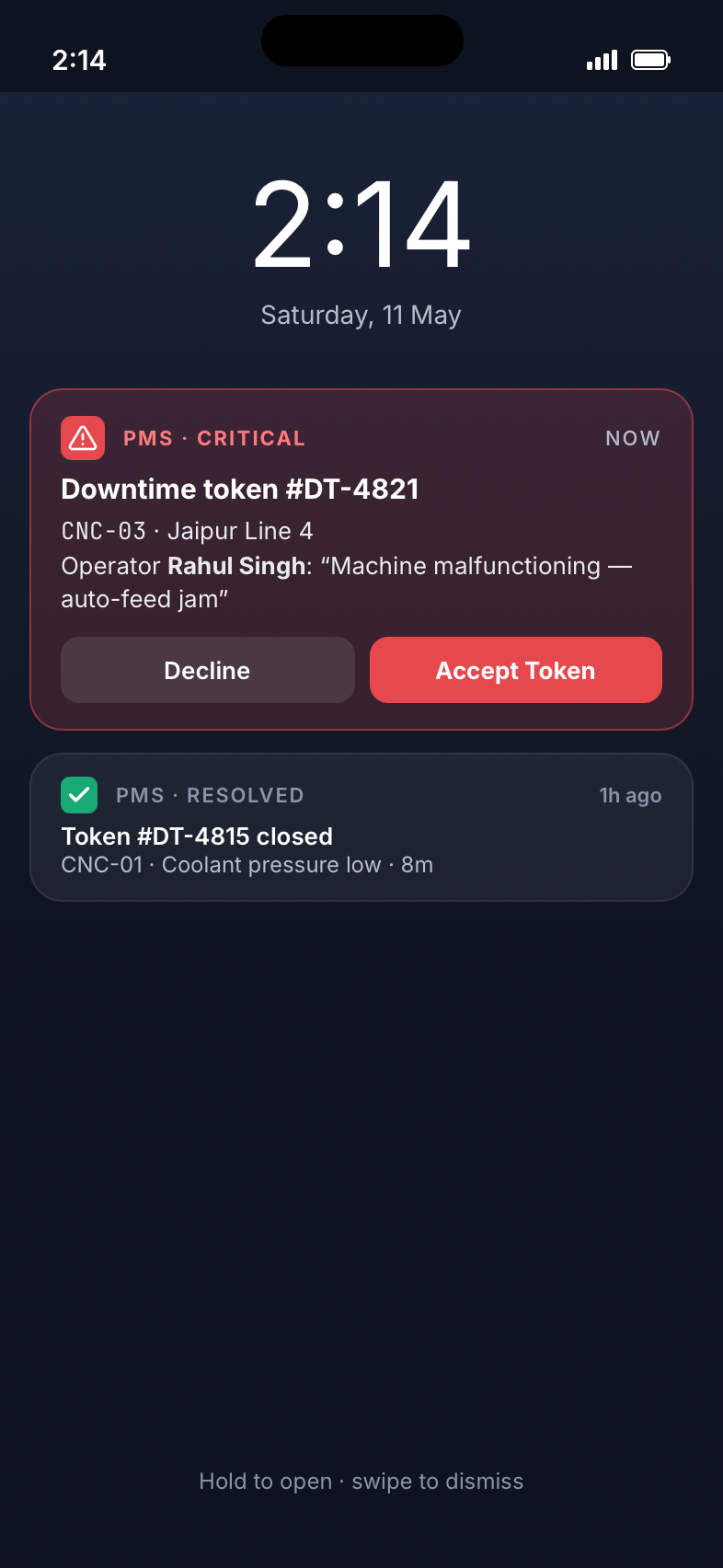
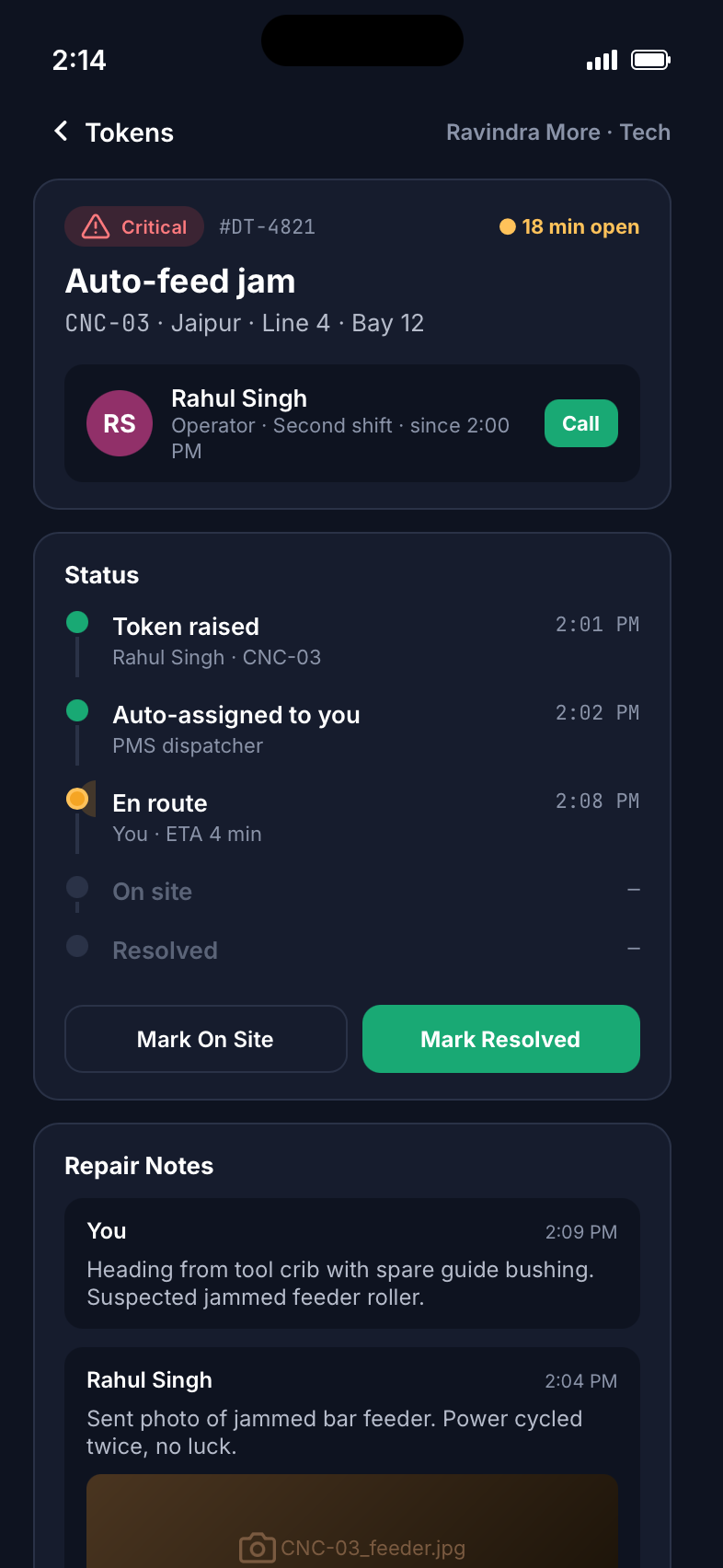
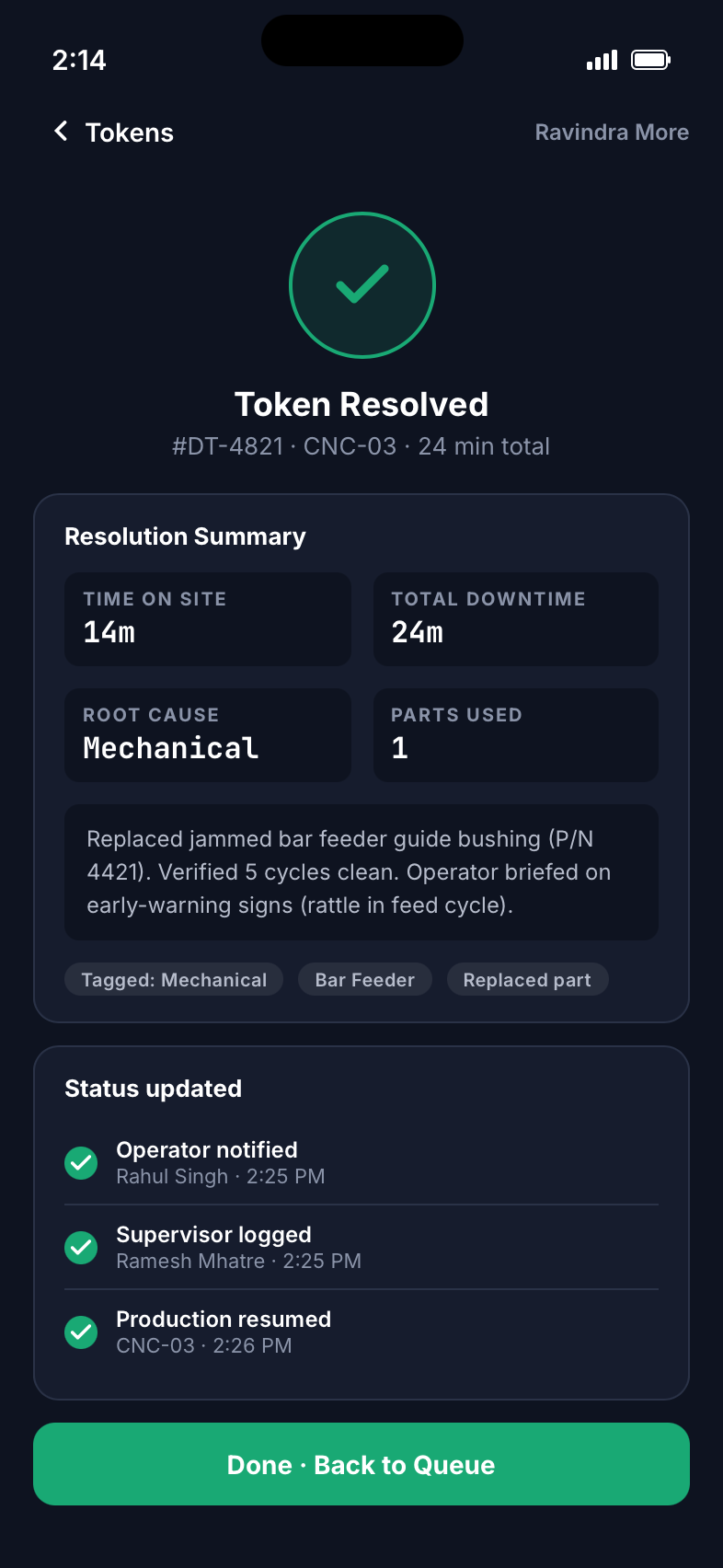
- Raised in one tapOperator picks the reason; the token reaches the assigned technician instantly.
- Handled on the phoneAccept, en route, on site, resolved, with notes and photos.
- Status flows backOperator and supervisor see every step; MTTR is measured automatically.
Supervisor console
Approvals, logs and shift assignment
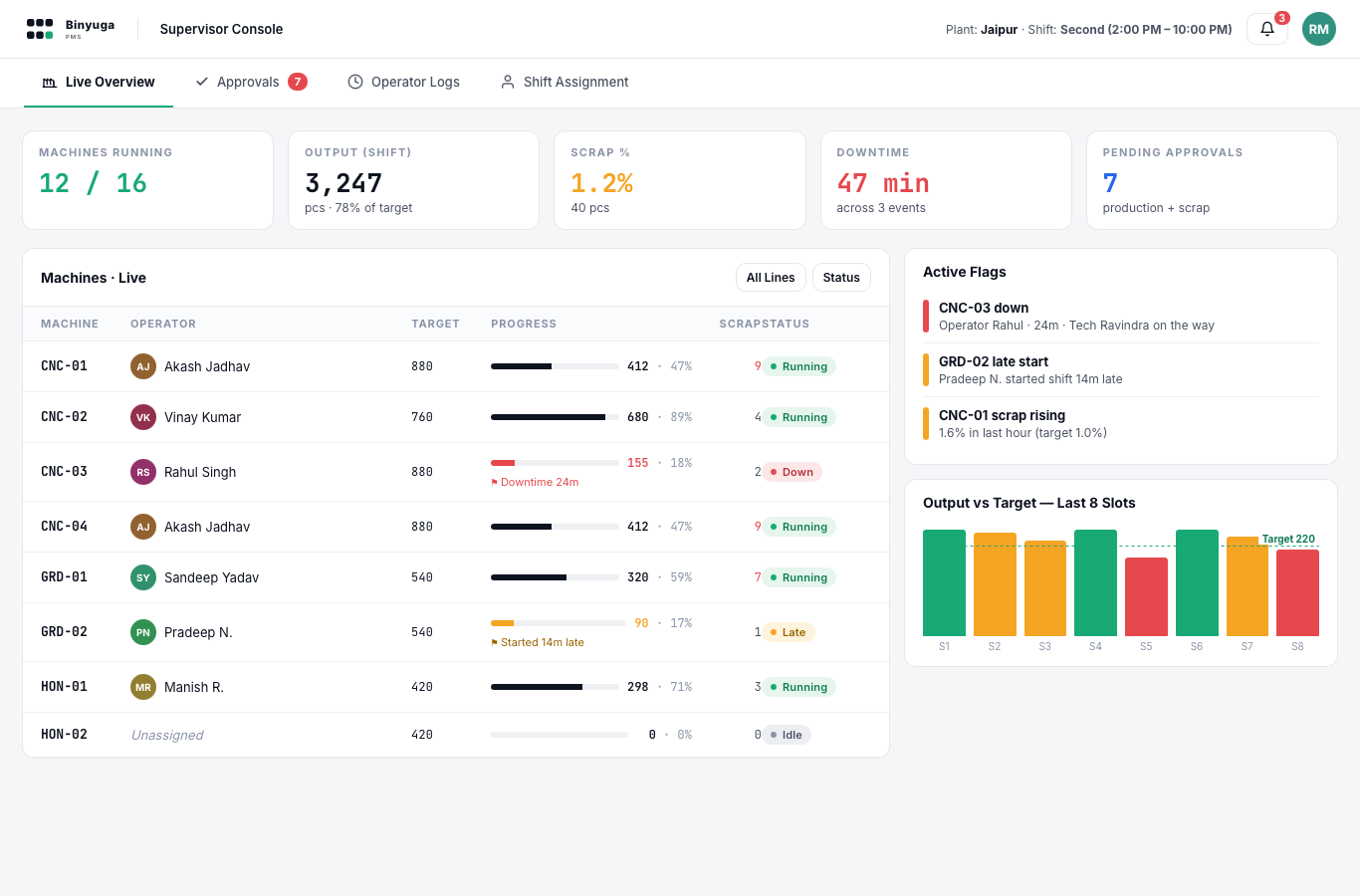
- Approve or correct entriesProduction, scrap and downtime in one queue.
- Operator activity logWho ran which machine, when, with what result.
- Assign next shiftPublished straight to the gate display.
Differentiator
Gate roster display
Admin console
Plant-wide performance, expected vs actual
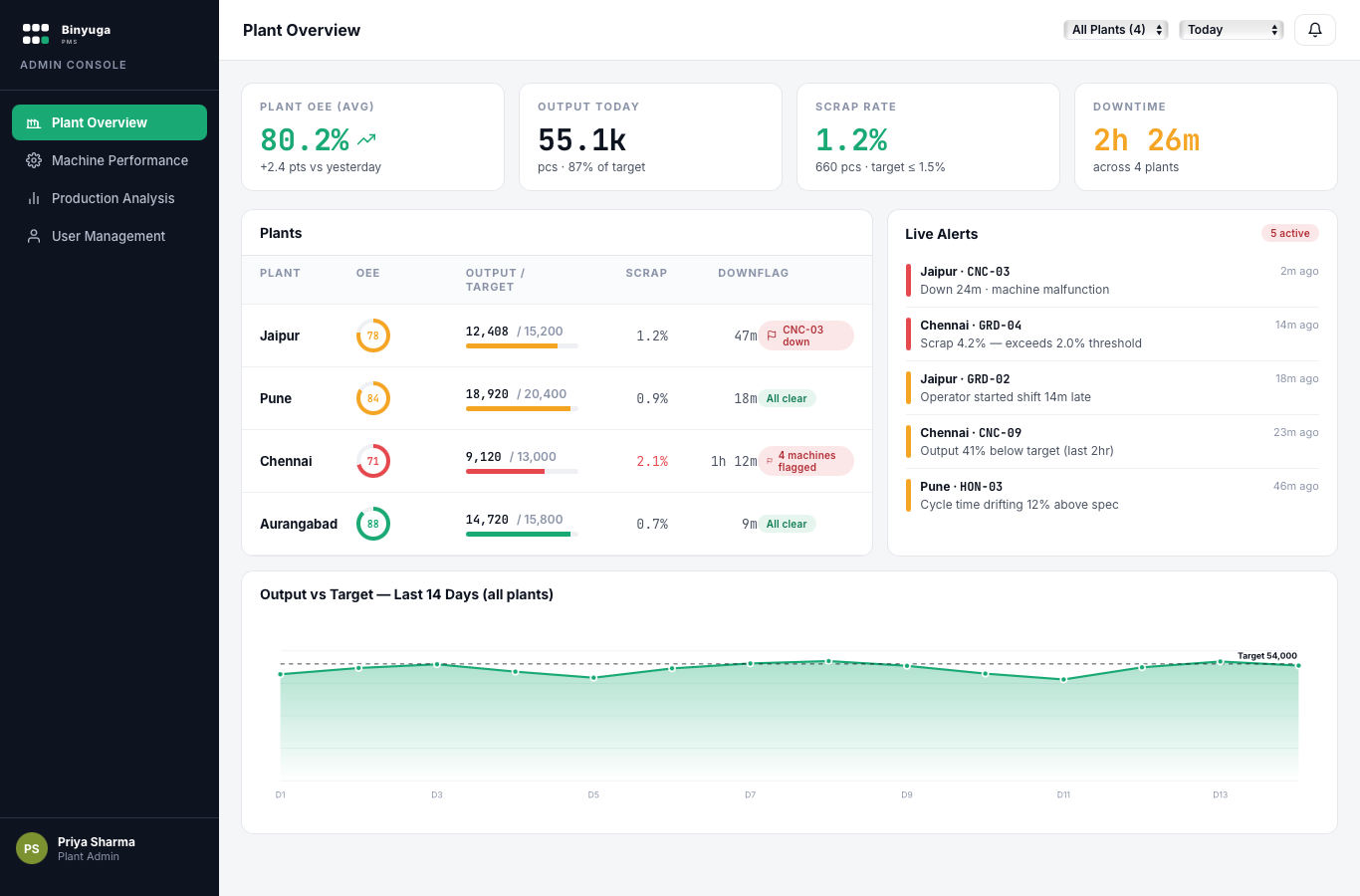
- OEE per plant and machineRed flags when output falls below expected.
- Scrap and downtime root causeBy reason, shift, machine and operator.
- Users and audit logEvery approval and change is traceable.
02
Built for the shop floor
Works through patchy Wi-Fi and connects to the systems you already run.
Differentiator
Offline-first tablets
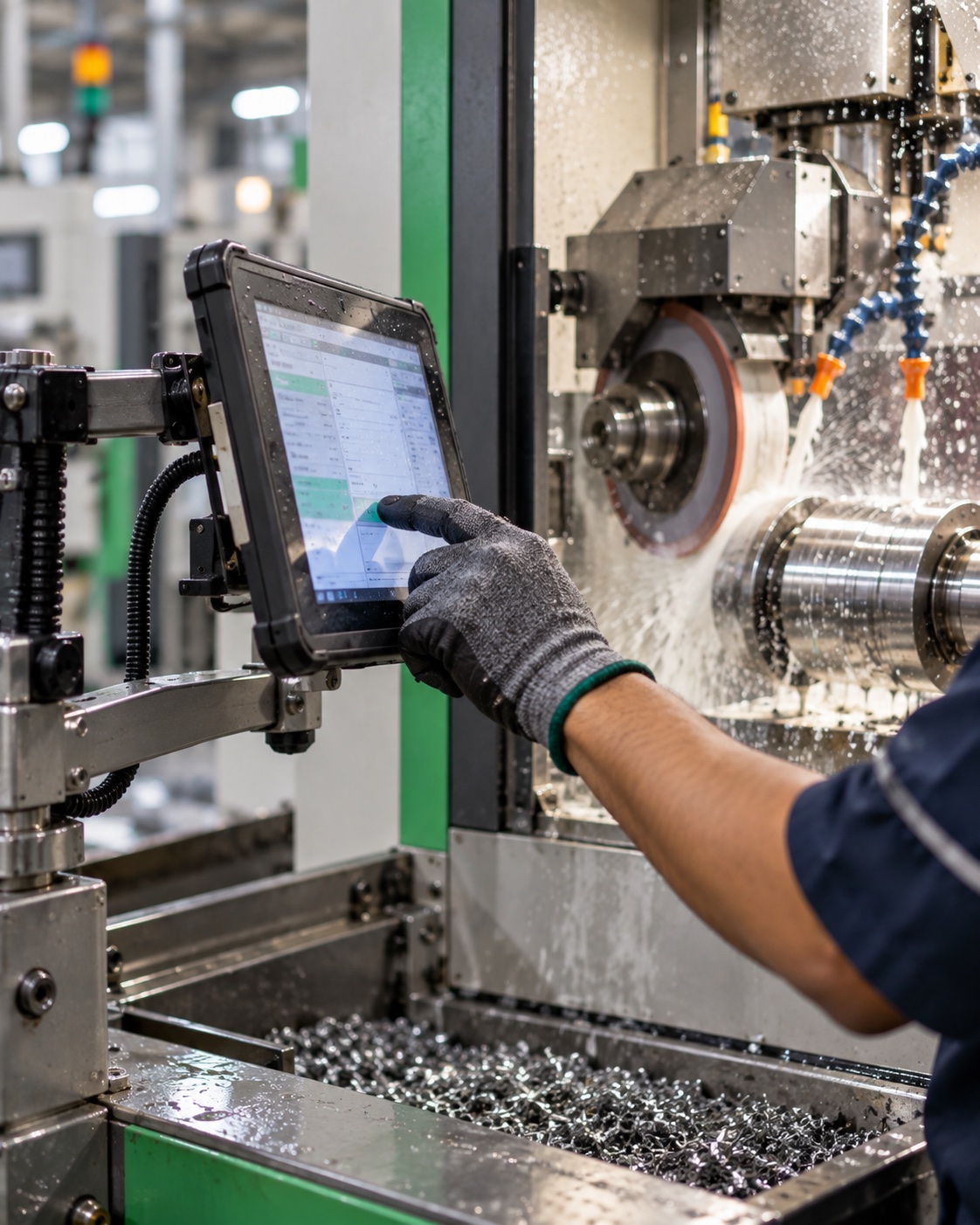
- Keeps working without networkEntries queue on the tablet and sync when the signal returns.
- Survives power cutsShift state resumes where it stopped.
- Hindi, Marathi, EnglishLanguage set per operator.
Differentiator
ERP and PLC integration
Expected impact
Where plants typically see improvement
Results depend on your plant. We agree measurable goals with you in the proposal.
Next step
Live on one line in 3 days
Deploy
Server, masters, reason codes, tablets and gate display.
Train
Operators, supervisors and technicians, in their language.
Go live
First shifts live with our team on the floor.
Customize
Workflows, reports, ERP or PLC integration, scoped with you.